


Why Building Your Own Gaming PC Still Matters in 2025
When you build your own gaming PC, you gain complete control over every component, can save a significant amount of money, and learn valuable technical skills. While the market for gaming hardware is vast, constructing a custom PC from individual parts can still save you up to 30% compared to a pre-built system with similar specifications. This is because you are not paying for assembly labor and can avoid the price markups that manufacturers add.
But the advantages go beyond just the financial savings. Assembling your own rig means you are the architect of your machine. You choose exactly what goes inside, with no compromises dictated by a manufacturer's budget. If you want a specific graphics card for the best ray tracing performance or extra RAM for streaming your gameplay, you are in charge. This level of customization extends to aesthetics as well, letting you pick a case, fans, and lighting that match your personal style. Furthermore, the process of building a PC clarifies how the machine works. When a part eventually fails or needs an upgrade, you will have the knowledge to diagnose the issue and fix it yourself, bypassing long waits for technical support and saving on repair costs.
That said, building a PC is not for everyone. It requires dedicated research to ensure parts are compatible, patience during the assembly process, and careful handling of delicate electronic components. For gamers who value a seamless, plug-and-play experience, a high performance custom prebuilt gaming pc from expert builders is often the smarter path. Whether you decide to build it yourself or buy it pre-assembled, the ultimate goal remains the same: securing a gaming pc high performance machine that can run the latest titles smoothly and look great doing it.
Quick Path to Your Custom Gaming PC:
- Choose your performance goal - Decide if you are targeting entry-level (1080p), mid-range (1440p), or high-end (4K) gaming. This choice will guide your budget and component selection.
- Select compatible components - Pick a CPU, GPU, motherboard, RAM, storage, power supply (PSU), and case that are all confirmed to work together.
- Gather your tools - A Phillips head screwdriver, an anti-static wrist strap, and cable ties are the essential tools for a clean and safe build.
- Assemble step-by-step - Follow a logical order. Typically, you install the CPU and RAM on the motherboard first, then mount the motherboard in the case before adding the GPU, storage, and power connections.
- Boot and optimize - The final phase involves installing your operating system, updating all necessary drivers for your hardware, and testing for stable performance.
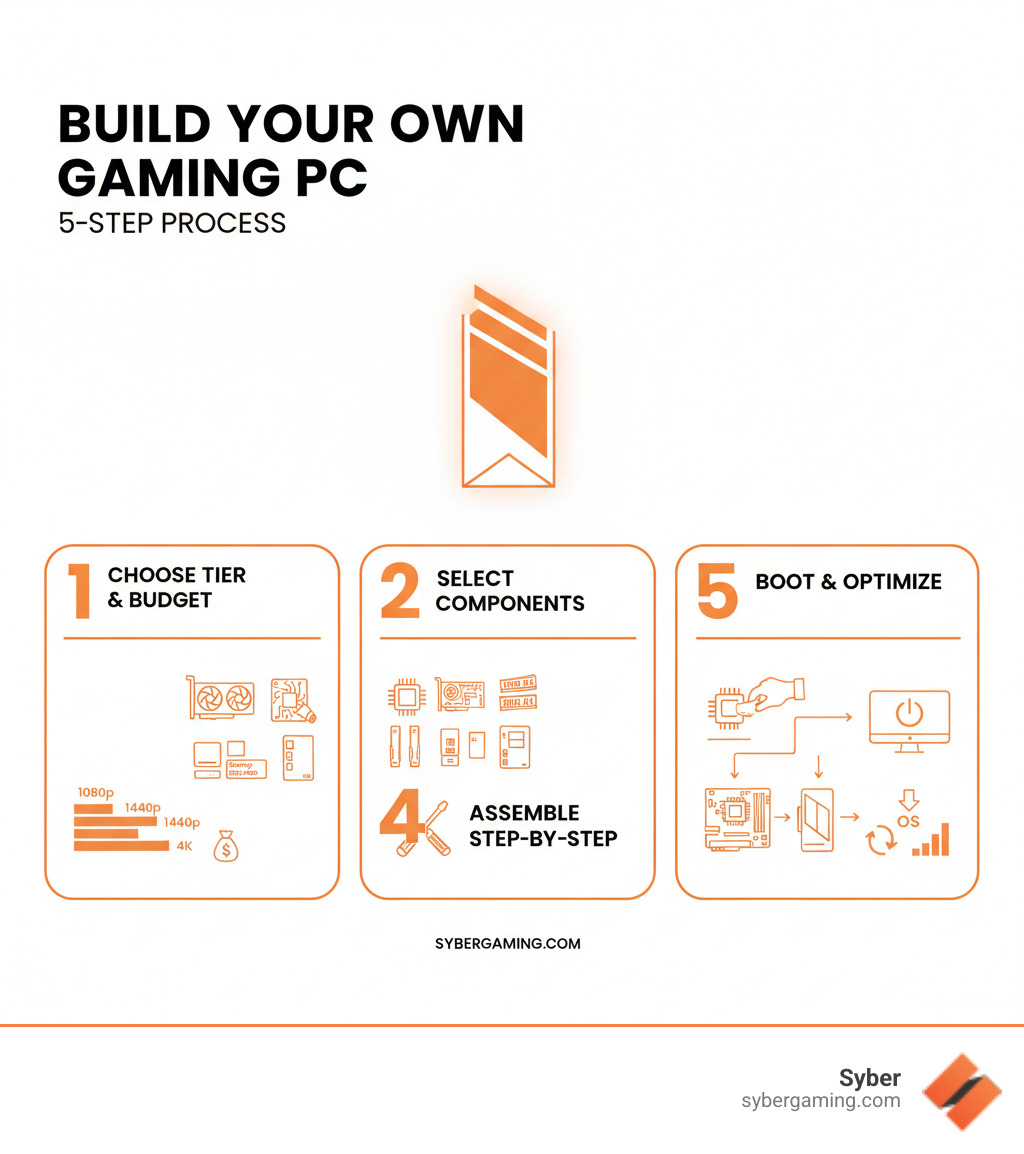
Build your own gaming PC vocab explained:
Your Build Blueprint: How to Plan and Build Your Own Gaming PC
Planning is the most critical step when you decide to build your own gaming PC. This is the stage where you prevent the future frustration of incompatible parts, a component that will not fit in the case, or a budget that spirals out of control. Your chosen CPU needs a motherboard with a matching socket type, your graphics card has to physically fit inside your case, and your power supply must provide enough wattage to run everything safely.
Online PC builder tools are your most valuable resource here. These websites act as a digital safety net, automatically checking for compatibility issues as you select parts. They can help you balance your budget across different components and even provide a performance estimate before you spend any money. For more guidance on making smart component choices, the principles outlined in What to Consider When Buying a Gaming PC are just as useful for builders as they are for buyers.

The Heart of the Machine: CPU, GPU, and AI
When you build your own gaming PC, the Central Processing Unit (CPU) and Graphics Processing Unit (GPU) are your highest priorities and will represent the largest portion of your budget. The CPU is the brain of the computer, handling game logic, physics calculations, and background system tasks. The GPU is the artist, responsible for rendering the complex 3D visuals that appear on your screen. These two components must be well-balanced to avoid bottlenecking, a situation where a weaker component restricts the performance of a stronger one. For example, a powerful GPU paired with a slow CPU will result in low frame rates because the CPU cannot supply data fast enough for the GPU to render.
Modern gaming performance is increasingly enhanced by AI-powered graphics rendering. Technologies like NVIDIA's DLSS and AMD's FSR use artificial intelligence to boost frame rates while maintaining sharp image quality. This is essentially a smart upscaling technique where the GPU renders the game at a lower internal resolution and then uses a trained AI algorithm to reconstruct the image to your target resolution. This AI-improved gaming technology is a major advancement, delivering the AI-driven performance that makes an intelligent gaming PC both faster and visually impressive. This is a core element of modern AI gaming technology.
Assembling Your A-Team: Motherboard, RAM, and Storage
Your CPU and GPU require a strong supporting cast to function effectively. The motherboard is the backbone that connects every component. Its socket and chipset must be compatible with your chosen CPU. Its form factor—such as ATX, Micro-ATX, or Mini-ITX—determines the physical size of the board and, consequently, the size of the PC case you will need. ATX is the standard full-size, offering the most expansion slots, while smaller form factors are ideal for more compact builds.
RAM (Random Access Memory) is your PC's short-term memory, used to hold data for actively running applications. For gaming in 2025, 16GB is the recommended minimum, which is enough to handle most games and light multitasking. However, 32GB is a smart upgrade that provides more headroom for demanding titles, streaming, and content creation, making it a good choice for future-proofing your build.
For storage, the SSD vs. HDD debate has a clear winner for your primary drive: you need a Solid State Drive (SSD). A super-fast NVMe SSD, which plugs directly into the motherboard, will make your operating system, applications, and favorite games load in a matter of seconds. To supplement this, you can pair it with a larger, more affordable HDD (Hard Disk Drive) to store your extended game library, media files, and other large documents that do not require instant access.
Power, Cooling, and Casing Your High-Performance Desktop PC
A high performance desktop pc needs a reliable foundation, and that starts with the Power Supply Unit (PSU). Do not cut corners on your PSU; a quality unit from a reputable brand delivers stable, clean power and includes protections that can save your expensive components in the event of a power surge. Use an online wattage calculator to estimate your system's power draw, then add about 20% headroom to ensure stability and accommodate future upgrades.
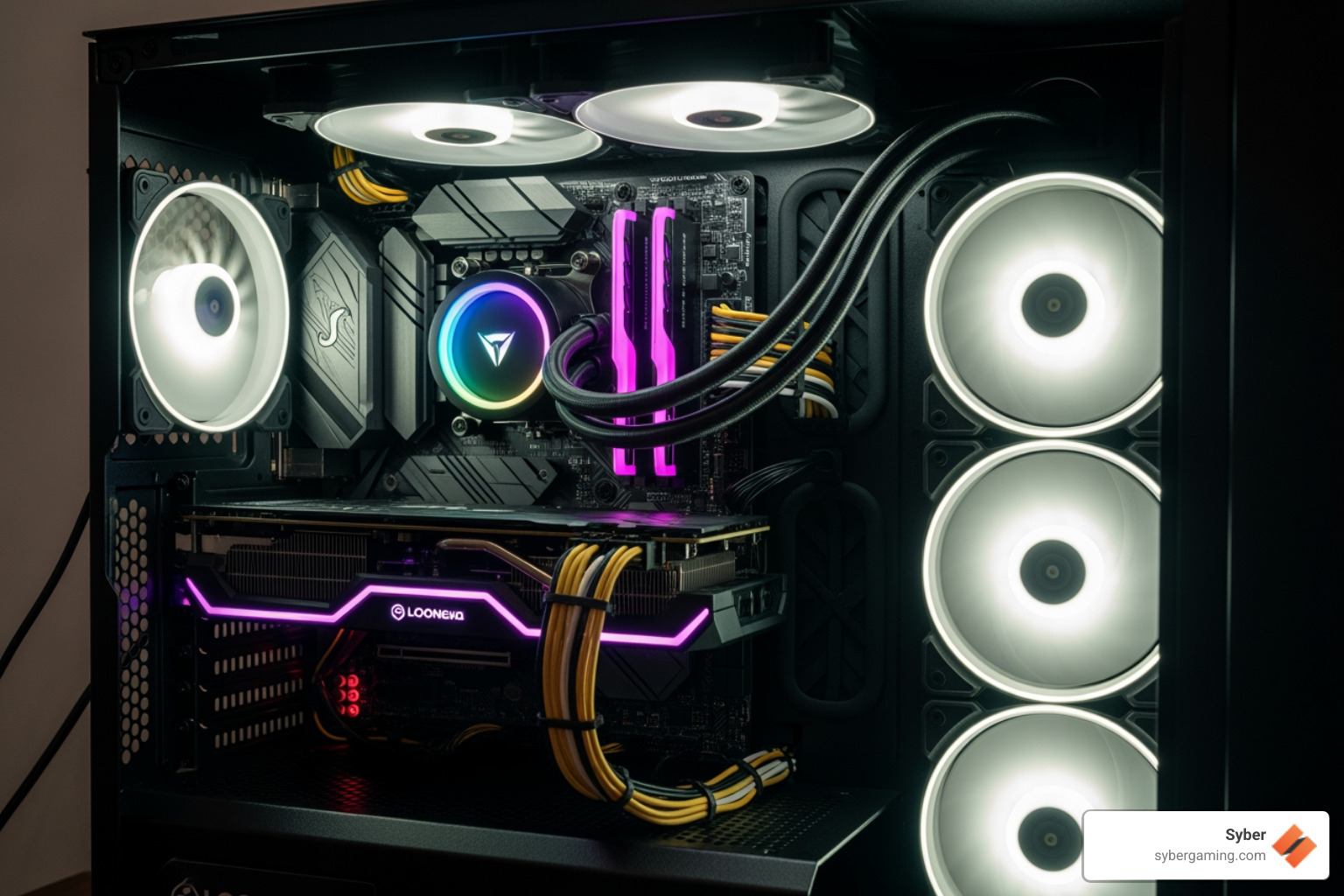
Effective cooling is essential for preventing your components from overheating, which causes performance throttling. Air cooling solutions, which use metal heatsinks and fans, are dependable, cost-effective, and easy to maintain. A capable CPU cooler and a well-thought-out case fan configuration are key to creating optimal airflow. The standard approach is to pull cool air in from the front and bottom of the case, and exhaust hot air out through the top and back.
Your PC case is more than just a protective box; it is a functional part of your cooling system. It must be large enough to house all your components and, most importantly, be designed to promote good airflow. Features like mesh front panels and multiple fan mounts are beneficial. Keeping your cables tidy and using dust filters will help your system run cool and clean for years. Thoughtful case design, like that found in the Syber M Series / GRVTY, demonstrates how efficient air cooling can maintain peak performance even under heavy load.
From Parts to Powerhouse: The Assembly and Your First Boot
You have meticulously planned your build, and the boxes of components have arrived. It is time to transform that pile of parts into a powerful gaming machine. Assembling custom build gaming pcs can appear complex, but if you can follow instructions and work methodically, you can build a PC. The process is a rewarding exercise in patience and attention to detail.
The Step-by-Step Guide: How to build your own gaming PC from scratch
First, prepare a clean, well-lit workspace with plenty of room. Gather your tools: a Phillips head screwdriver, an anti-static wrist strap to ground yourself and protect your components from static discharge, and zip ties for cable management. The assembly process generally follows these steps:
- Motherboard Prep: Place the motherboard on a non-static surface, like the cardboard box it came in. Open the CPU socket lever, align the triangle on the CPU with the triangle on the socket, and gently place the CPU in. Close the lever. Then, install the RAM by opening the clips on the slots, aligning the notch on the RAM stick, and pressing down firmly until the clips click into place.
- Cooler Installation: If your CPU cooler requires a mounting bracket, install it now. Apply a pea-sized amount of thermal paste to the center of the CPU, then mount the CPU cooler on top, tightening the screws in a cross pattern to ensure even pressure.
- Case Prep: Install the motherboard's I/O shield into the rectangular cutout on the back of the case. Then, mount the motherboard inside the case, securing it with screws to the pre-installed standoff posts.
- Component Installation: Install your graphics card into the top-most long PCIe slot, pressing down until it clicks securely. Mount your storage drives (SSDs and HDDs) in their designated bays or M.2 slots on the motherboard.
- Power and Wiring: Install the Power Supply Unit (PSU) in the case, usually at the bottom. Connect the main power cables: the large 24-pin connector to the motherboard, the 4-pin or 8-pin CPU power connector near the top of the motherboard, and the 6-pin or 8-pin PCIe power connectors to your graphics card if it requires them. Finally, connect the small front-panel wires for your power button, reset button, and USB ports, using your motherboard manual as a guide for the correct pin layout.
- Cable Management: Route your cables neatly and use zip ties to bundle them together. Tuck excess wiring behind the motherboard tray if your case allows. Good cable management is not just for looks; it is crucial for unobstructed airflow and better cooling.

Final Steps: Troubleshooting, Optimization, and Enjoying Your Rig
With everything assembled, plug in your monitor, keyboard, and mouse, and press the power button. If your monitor displays the motherboard's BIOS screen, congratulations. Your high performance gaming pc build is alive. If not, do not panic. Most boot issues stem from simple mistakes. Double-check that all main power cables (motherboard, CPU, GPU) are fully seated. Ensure your RAM sticks are clicked securely into place. A very common error is plugging the monitor cable into the motherboard's video port instead of the graphics card's port.
Once it boots, you will need to install an operating system like Windows and then all your drivers. GPU driver updates are especially important for performance and can be downloaded from the NVIDIA or AMD websites. You should also install chipset drivers from your motherboard manufacturer's website. After that, run some benchmark tests to ensure your AI-driven gaming rig is performing as expected and that temperatures remain stable under load.
If this entire process sounds more stressful than satisfying, you are not alone. Many gamers prefer the convenience and guaranteed reliability of pre built gaming computers assembled by professionals. Syber specializes in crafting high performance custom prebuilt gaming pc systems that are hand-built, rigorously tested, and ready for action on day one. You get a custom-tuned machine without the building hassle, backed by a full warranty and expert support.
When you choose a Hand-Built by Experts - The Syber Way system, you are investing in quality and performance verified through intense benchmarking. You can explore their AI-ready gaming PC options and see the Syber Machine Value & Performance that sets them apart.
Ready to level up your gaming experience? Visit SyberGaming to explore their custom-built solutions, including their high performance desktop pc options in the M Series lineup. Your perfect gaming machine is waiting.

.svg)

