


Getting Started: Why Your PC Matters for VR
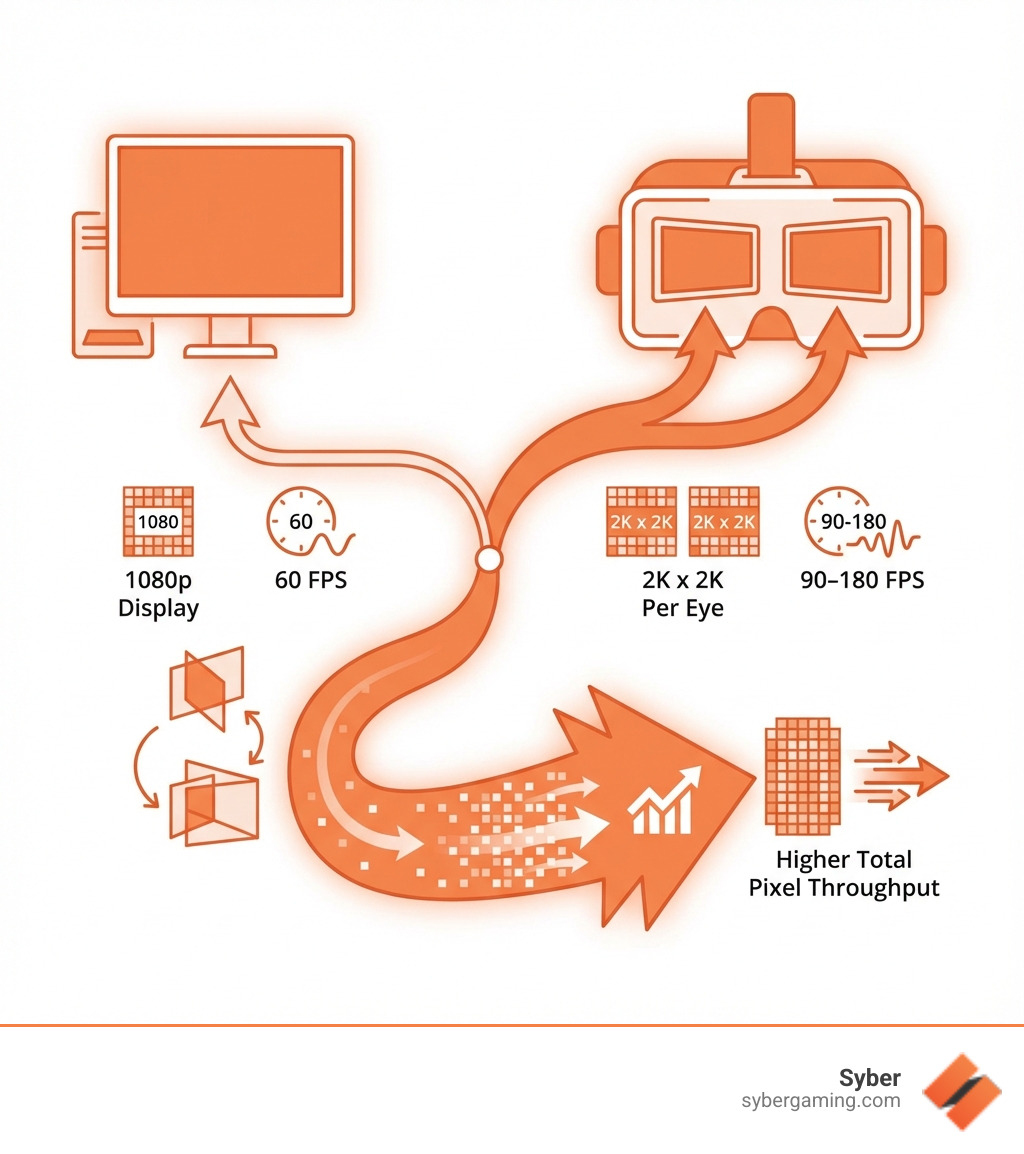
VR PC recommendations start with understanding one key truth: virtual reality is brutally demanding on hardware. When you step into a VR headset, your PC isn't just rendering a single screen anymore. It's creating two separate high-resolution images—one for each eye—at resolutions of 2K by 2K or higher, and it needs to refresh those images 90 to 180 times per second.
Quick Answer: Essential VR PC Components
| Component | Minimum | Recommended | Optimal |
|---|---|---|---|
| GPU | NVIDIA GTX 1060 (6GB) / AMD RX 480 | NVIDIA RTX 4060 / AMD RX 5700 | NVIDIA RTX 4070 Ti Super+ / AMD RX 6800+ |
| CPU | Intel i5-4590 / AMD Ryzen 5 1500X | Intel i7-12700K / AMD Ryzen 7 3700X | Intel i7-14700K / AMD Ryzen 9 7900X |
| RAM | 8GB DDR4 | 16GB DDR4/DDR5 | 32GB DDR5 |
| Storage | 500GB SSD | 1TB NVMe SSD (3500MB/s+) | 2TB NVMe SSD (7000MB/s+) |
This massive workload explains why your friend's PC that runs regular games just fine might stutter and judder in VR. Inconsistent frame rates in VR don't just hurt your experience—they can cause motion sickness and nausea. Your brain expects the virtual world to move smoothly with your head, and when it doesn't, things get uncomfortable fast.
The good news? Building a VR-ready PC isn't as overwhelming as it sounds. The fundamentals are similar to building a high-performance gaming PC, but with a heavier emphasis on your graphics card and sustained performance under load. Whether you're exploring custom build gaming PCs or looking at pre built gaming computers, knowing what components matter most will help you make the right choice.
This guide breaks down exactly what you need for smooth VR experiences, from entry-level setups to high-end rigs that can max out any VR title you throw at them.
VR PC recommendations helpful reading:
The Core Four: Your Guide to VR PC Recommendations
When it comes to building a PC for virtual reality, some components pull more weight than others. Think of it like a finely tuned orchestra: every instrument plays a part, but some lead the melody. For VR, that melody is sung loudest by your graphics card, with your processor, RAM, and storage providing crucial backup to keep the rhythm perfect.
Graphics Card (GPU): The Heart of Your VR Rig
If you're asking about the most critical component for a good VR experience, the answer is without a doubt the Graphics Processing Unit (GPU). VR demands a lot from your graphics card because it has to render two distinct, high-resolution images—one for each eye—simultaneously. Each eye needs to be rendered at around 2K by 2K resolution, and to prevent motion sickness, the system must maintain a buttery-smooth frame rate of 90 to 180 frames per second (FPS), depending on your headset. This effectively doubles or even triples the rendering workload compared to a single monitor gaming setup.
This intensive rendering means your GPU needs serious horsepower, particularly in its CUDA Core count (for NVIDIA cards) or stream processors (for AMD cards). You'll want a high-end GPU capable of handling this content with smooth frame rates. We recommend at least an NVIDIA GeForce RTX 4060 or better, or an equivalent AMD Radeon RX series card. For optimal performance with the latest high-resolution headsets like the HTC Vive Pro 2 or Meta Quest 3, aiming for an NVIDIA RTX 4070 Ti Super, RTX 4080/Super, or an AMD RX 6800/6900 series and above will provide the best experience. These cards also excel with AI-powered graphics, ensuring your virtual worlds look stunning and run efficiently.
Another key factor for your GPU is VRAM (Video Random Access Memory). While 8GB of VRAM is often cited as a minimum, for new GPU purchases, we recommend more than 8GB, ideally 12GB to 16GB or more. This ensures your card can handle the large textures and complex environments common in modern VR titles without hitching. Investing more in your GPU budget will yield the biggest returns in any VR gaming experience.
Processor (CPU): The Brains Behind the Immersion
While the GPU handles the heavy lifting of rendering, a powerful CPU is still essential. The CPU is responsible for handling VR applications, game logic, physics calculations, and ensuring all background processes run smoothly without interfering with your VR experience. It's the brains that coordinate everything the GPU is drawing.
For gaming tasks, including most VR applications, the single-core frequency of your CPU is often more critical than having an abundance of cores. Many VR applications, especially games, still rely heavily on strong single-core performance for tasks that cannot be easily parallelized. Therefore, when choosing a CPU, look for modern, high-performance processors like an Intel Core i7 or AMD Ryzen 7 with an emphasis on single-core speed. Something like an Intel Core i7 14700k or an AMD Ryzen 9 7900X would be ideal for a top-tier VR experience, handling both the game's demands and any underlying AI system optimization.
Even mid-range CPUs are powerful enough for many VR applications these days, but a more robust processor ensures you won't encounter bottlenecks that could lead to frame drops and a less immersive experience. It's about maintaining those minimum frame rates, which is crucial for comfort in VR.
RAM and Storage: Speed and Space for Virtual Worlds
Beyond the GPU and CPU, your system's RAM and storage significantly impact the fluidity and responsiveness of your VR adventures.
You'll want at least 16GB of DDR4 RAM for a smooth VR experience. However, 32GB of DDR5 is ideal. This ample memory allows your PC to handle both the demanding VR content and any background applications you might have running, preventing frustrating slowdowns. While test results suggest DDR4 and DDR5 can operate similarly in some VR scenarios, DDR5 offers higher bandwidth and future-proofing for the latest platforms.
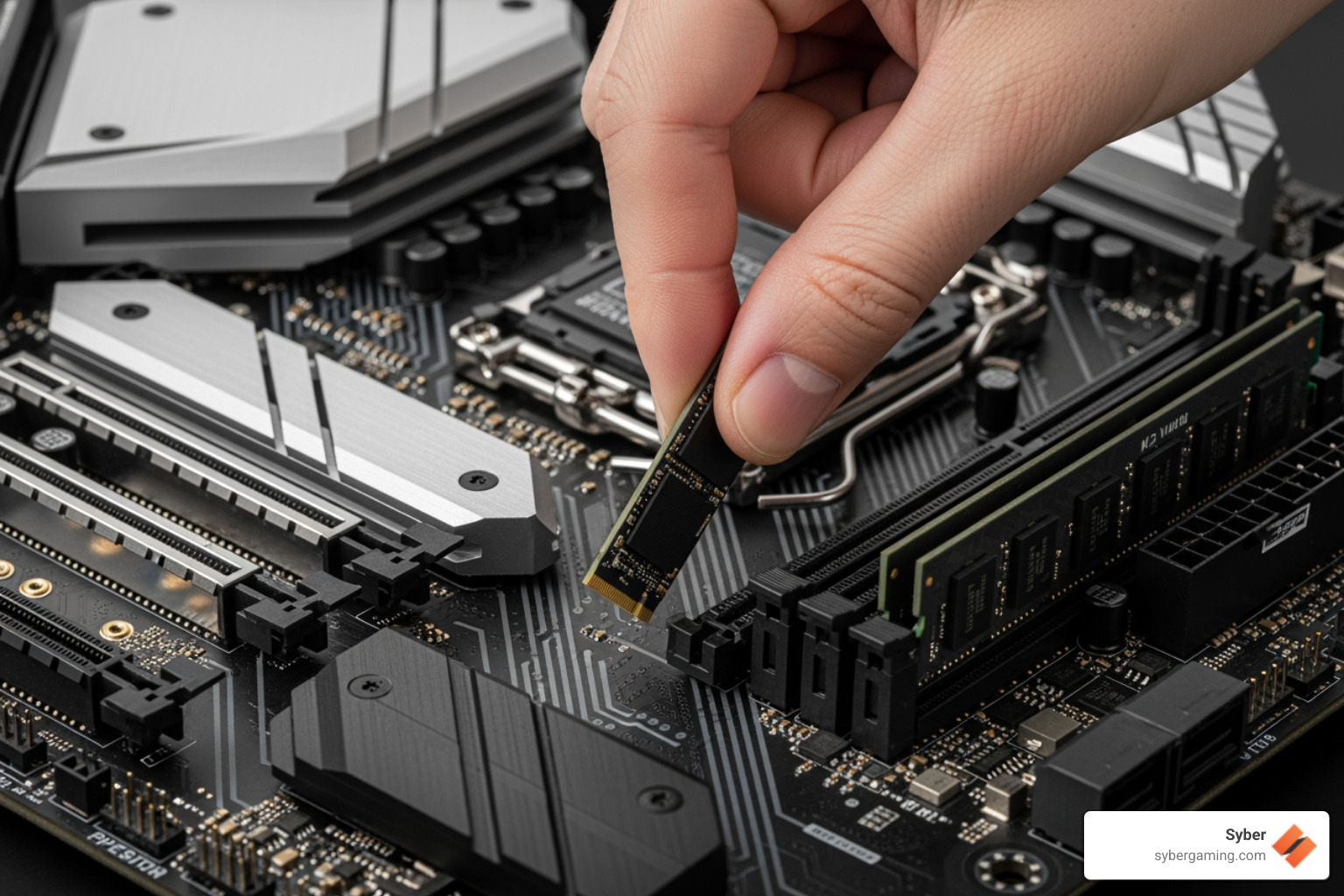
For storage, fast is the name of the game. Install your VR games and applications on a Solid State Drive (SSD). This isn't just about faster boot times; it significantly reduces game loading times and minimizes potential lag or "hitching" that can occur when assets stream in during a VR experience. An M.2 NVMe drive is highly recommended for both its superior performance and build simplicity. These drives offer incredibly fast read/write speeds, often exceeding 3500MB/s, and ideally, you'd aim for speeds twice that for a build that will last for years. While HDDs (Hard Disk Drives) offer more storage capacity for less cost, their slower speeds are a noticeable drawback for VR. Therefore, a primary NVMe SSD of at least 500GB (with 1-2TB being a safer bet for multiple VR titles) is highly recommended, possibly coupled with a larger HDD for less frequently accessed files if needed.
Finalizing Your Build and Optimizing for Peak Performance
Once you've got your core components sorted, there are a few more considerations to ensure your VR PC delivers the best possible experience. From choosing between a desktop and a laptop to optimizing your settings, these final touches can make all the difference.
Desktop vs. Laptop: Choosing Your Form Factor
The choice between a desktop and a laptop for VR comes down to a trade-off between raw performance, upgradeability, and portability.
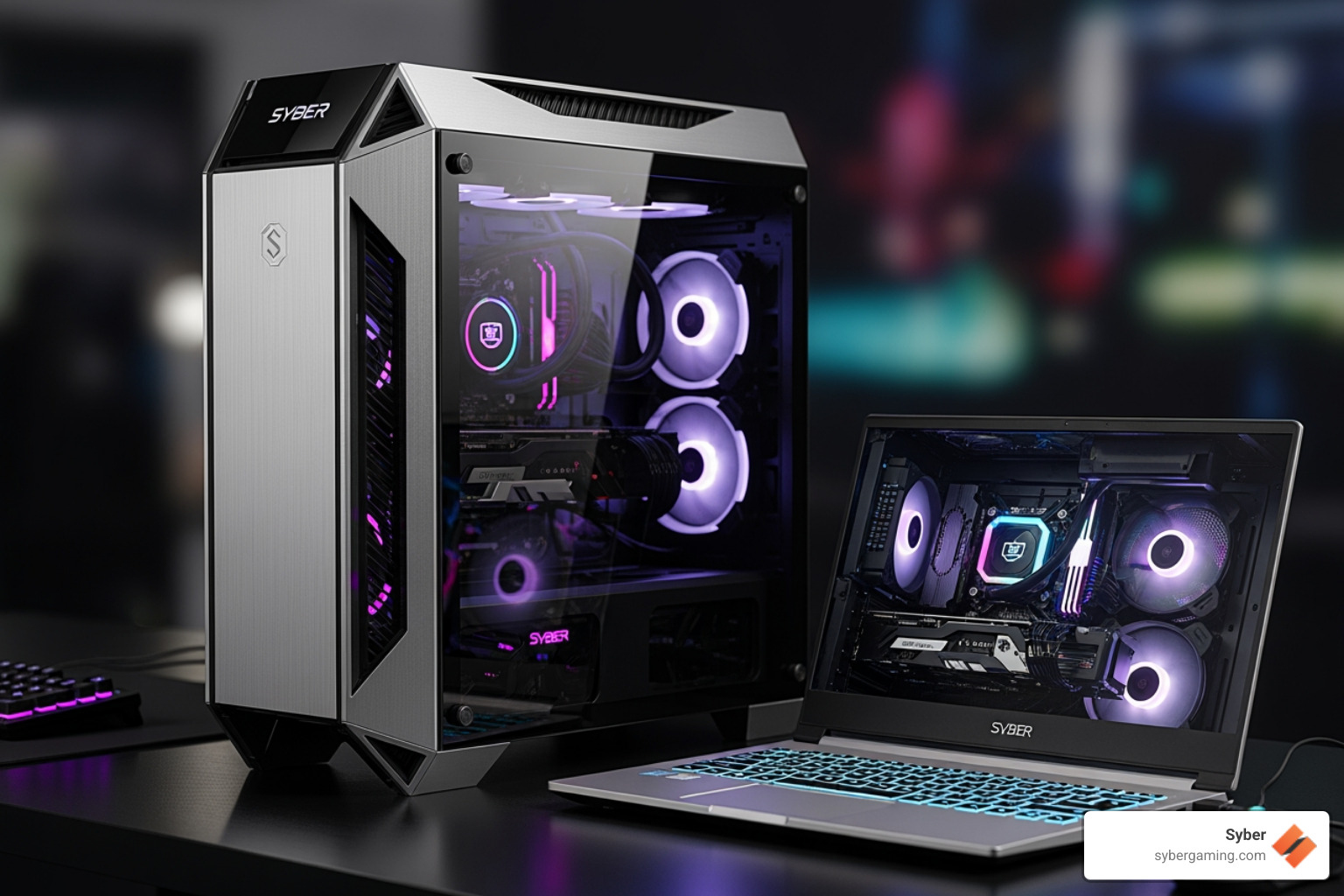
Desktops generally offer better performance per dollar. Their larger chassis allows for more robust air-flow cooling solutions, meaning components can run at higher speeds for longer without thermal throttling. Desktops are also user-upgradeable, allowing you to easily swap out components like your GPU or CPU down the line, which means they generally last longer and can adapt to evolving VR demands.
Laptops, on the other hand, offer portability at the expense of performance. While you can find powerful gaming laptops, an NVIDIA RTX 3070 on a laptop does not perform the same as an NVIDIA RTX 3070 on a desktop. Laptop GPUs have lower "Total Graphics Power" (TGP) limits due to thermal and power constraints, meaning they won't offer the same performance as their desktop counterparts. If opting for a laptop, pay close attention to the GPU's TGP; higher wattage usually means better performance.
Ports, Connections, and Headset-Specific VR PC Recommendations
Your VR headset needs to connect to your PC, and having the right ports is crucial. Most VR headsets require several USB 3.0 ports for tracking and data transfer. For example, some systems like the Valve Index may need a few additional ports for external sensors.
Many VR headsets connect to the GPU via DisplayPort or HDMI. The Valve Index, for instance, requires a DisplayPort 1.2+ input, as it doesn't support HDMI. Always check your specific headset's requirements to ensure your graphics card has the necessary ports.
Wondering if your current PC can handle VR? There are handy tools for that. If you use Steam, you can download the free SteamVR Performance Test. It checks your GPU, CPU, and other specs and gives you a clear indication of your system's VR readiness. For those interested in Windows Mixed Reality headsets, the Windows Mixed Reality PC Check app assesses your system's compatibility.
For more detailed guidance on choosing the right components, check out our guide on What to Consider When Buying a Gaming PC.
Optimizing Your Setup: Final VR PC Recommendations
Even with a top-notch system, a few best practices can further improve your VR experience:
- Update Drivers: Always keep your GPU drivers and VR headset software updated to the latest versions. Manufacturers frequently release updates that improve performance and compatibility.
- Adjust Graphics Settings: VR games often offer a plethora of graphics settings. While it's tempting to crank everything to "Ultra," for VR, it's often better to prioritize a consistent high frame rate over maximum visual fidelity. A slightly lower setting that maintains 90 FPS is far more comfortable than a higher setting that frequently drops frames.
- Wireless VR Streaming: If you're using a standalone headset like the Meta Quest for PC VR streaming (e.g., via Air Link or Virtual Desktop), your network setup is paramount. For the best performance, connect your PC to your router via Ethernet. Then, ensure your VR headset is connected to the router's 5Ghz Wi-Fi band for minimal latency.
- Cable Management: This might sound minor, but proper external cable management can significantly improve your VR experience by preventing tripping hazards and tangling during active play. Invest in cable clips or a VR cable management system for a smoother, safer experience.
- High-Quality Audio: VR experiences heavily rely on spatial audio cues for immersion. Invest in good headphones or use your headset's built-in audio if it's high quality.
Building a high performance gaming pc build for VR is an investment in unparalleled immersive experiences. With Syber, you're not just getting a machine; you're getting a carefully crafted system, built and rigorously tested by experts in City of Industry, California, USA, to ensure peak performance and reliability. Our dedication to quality means your VR PC recommendations translate into real-world performance. Experience the difference with a system that's truly Hand-Built by Experts - The Syber Way.
Explore our range of pre built gaming pc customizable options to start your journey.

.svg)

