

Why Your Switch Choice Matters

Best mechanical keyboard switches are the foundation of a great typing and gaming experience. If you're looking for a quick answer, here are the top switch categories to consider:
| Switch Type | Best For | Key Characteristics |
|---|---|---|
| Linear | Gaming (FPS, action) | Smooth, consistent keystroke with no tactile bump |
| Tactile | Typing, programming | Noticeable bump at actuation point, quieter than clicky |
| Clicky | Typing enthusiasts | Audible click sound with tactile feedback |
| Silent | Office, shared spaces | Dampened sound with linear or tactile feel |
The switch you choose affects everything: how your keys feel, how they sound, and how quickly they respond. For gamers who demand reliability, the right switch can mean the difference between landing a perfect shot and missing by a millisecond.
Mechanical switches also outlast membrane keyboards by a massive margin, rated for 50 million keystrokes or more compared to a membrane's 5 million. This durability comes from their design, where each key has its own spring mechanism.
As experienced builders note, personal preferences evolve. Understanding the fundamentals of switch types, actuation force, and travel distance helps you make an informed choice. For many, the journey of finding the perfect switch is a rewarding part of the PC building hobby. Your keyboard connects you to your high performance gaming pc, and the right switches improve your entire setup.
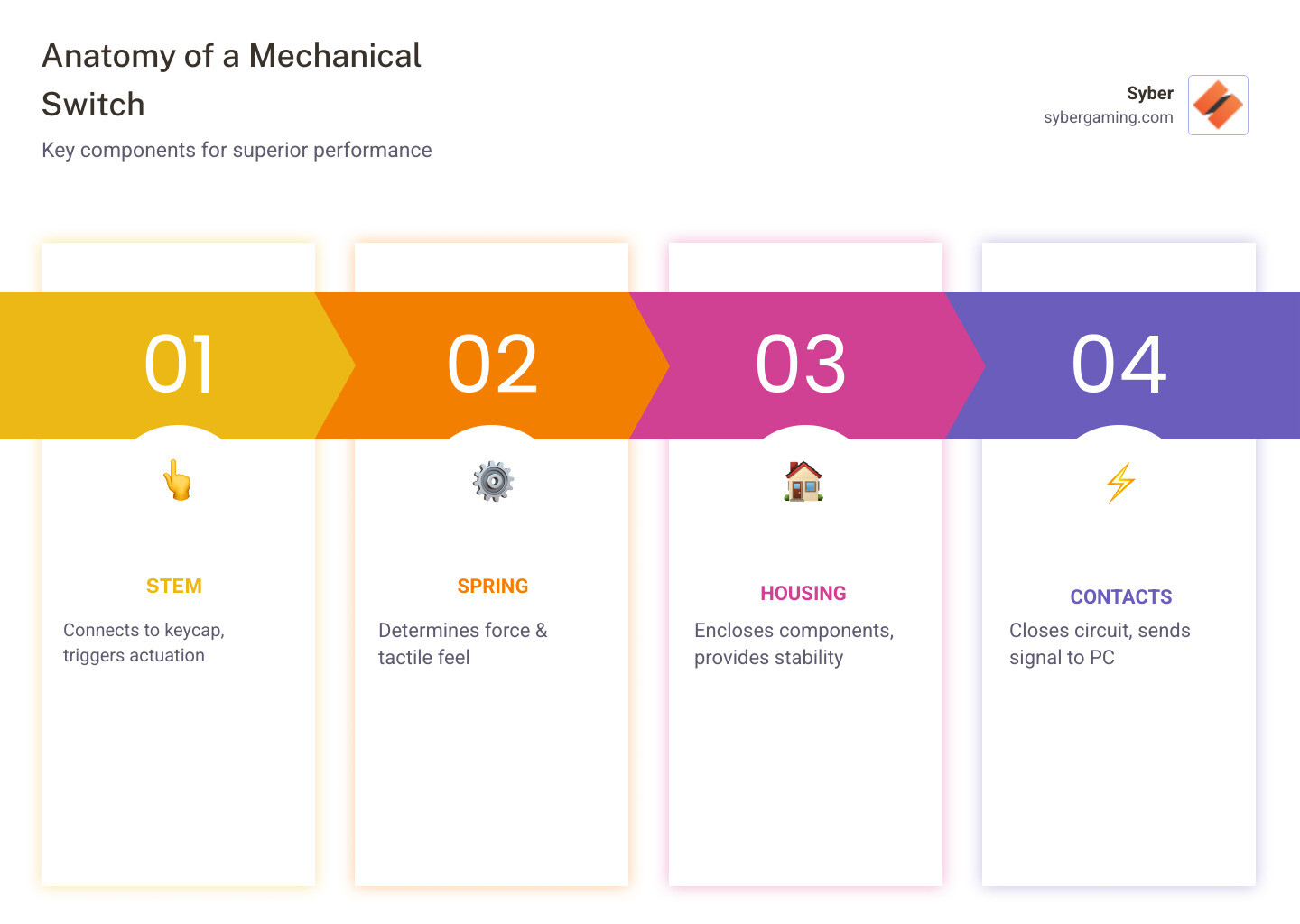
Best mechanical keyboard switches vocabulary:
Finding the Best Mechanical Keyboard Switches for Your Build
Choosing the best mechanical keyboard switches for your setup is a journey of personal preference. Let's break down the core elements to help you navigate this world.
The 3 Main Switch Types: Linear, Tactile, and Clicky
Mechanical switches fall into three main types, each with a distinct feel and sound.
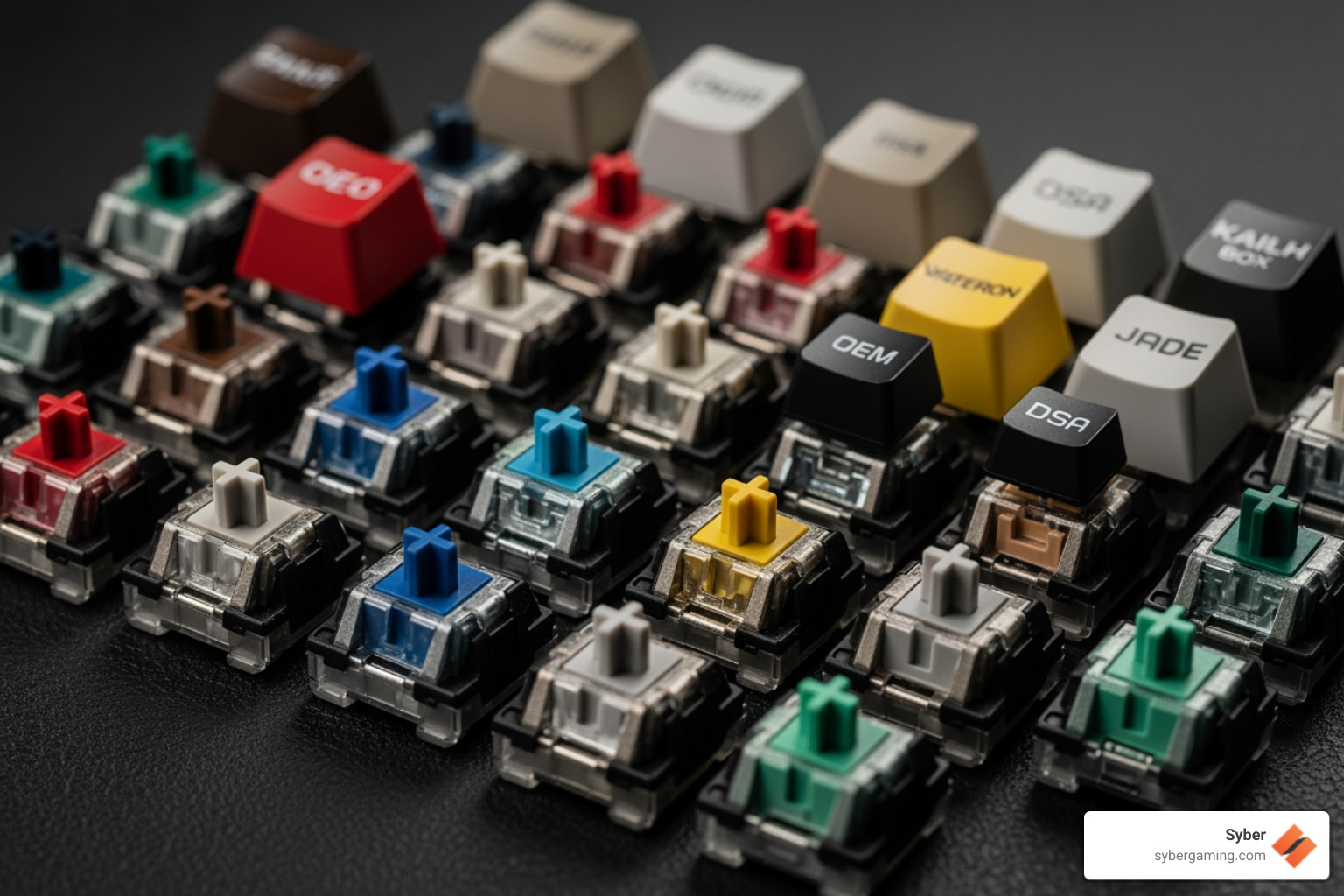
- Linear Switches: These offer a smooth, consistent keystroke from top to bottom.
- Feel: Smooth and fluid, with no bump to interrupt the press.
- Sound: Generally quiet, making them a good choice for streaming or shared spaces.
- Best For: Gaming, especially in FPS and action titles where rapid, repeated key presses are crucial. The smooth travel is ideal for actions like strafing, as there is no tactile bump to overcome. Their consistency allows for quick double-taps. Popular options include the classic Cherry MX Red, Gateron G Pro Yellow, Akko V3 Cream Yellow, and Outemu Red.
- Tactile Switches: These provide a noticeable "bump" halfway down the keystroke, confirming actuation without an audible click.
- Feel: A distinct, satisfying bump that signals the keypress has been registered.
- Sound: Quieter than clicky switches, offering a more subdued sound profile.
- Best For: A great all-around option for typing, programming, and gaming. The bump helps prevent accidental presses and can reduce finger fatigue during long typing sessions by discouraging you from bottoming out the key. Well-regarded options include Gazzew Boba U4T, Cherry MX Brown, Glorious Panda, and Kailh Speed Copper.
- Clicky Switches: These combine a tactile bump with a distinct, audible "click" sound.
- Feel: A crisp bump accompanied by a sharp click, providing strong feedback.
- Sound: Loud and pronounced, providing both auditory and tactile confirmation. Be warned, they can be disruptive in an office or quiet home.
- Best For: Typing enthusiasts who enjoy definitive feedback and a typewriter-like sound. Notable switches include Kailh Box White V2, which uses a crisp 'click bar' mechanism, and the classic Cherry MX Blue, which uses a 'click jacket'.
Key Switch Characteristics to Consider
Beyond the basic type, several technical specs define a switch's performance.
- Actuation Force: The pressure needed to register a keypress, measured in grams (g). Lighter switches (under 45g) are easier to press quickly but can lead to typos. Medium-weight switches (45g-60g) offer a balance for mixed use. Heavier switches (60g+) require more deliberate force, which can improve accuracy for heavy-handed typists but may cause fatigue for others.
- Travel Distance: This is the total distance the key can be pressed, typically around 4mm. The actuation point (or pre-travel) is the point in the key's travel where the press is registered (e.g., 2mm). Speed switches are designed with a shorter actuation point, often 1.1mm to 1.4mm, for faster inputs in gaming.
- Switch Materials: The plastics used for the housing and stem affect the sound and smoothness. Polycarbonate (PC) is often used for top housings because it's clear, which helps with RGB lighting, and it can create a higher-pitched sound. Nylon is a softer plastic often used for bottom housings, which helps absorb sound for a deeper, lower-pitched profile. POM stems are valued for their natural low-friction properties, making the switch feel smoother.
How Switches Impact Your High-Performance Gaming PC Experience
For a high performance custom prebuilt gaming pc, the right switches are very important.
- Responsiveness and Speed: In gaming, milliseconds matter. Linear switches with low actuation force and short actuation points allow for incredibly fast inputs, a huge advantage in competitive titles.
- Precision: Some gamers prefer tactile switches for precision in MMO or RTS games. The bump provides clear feedback that an action has registered without needing to look away from the screen.
- N-Key Rollover (NKRO): This feature, common in mechanical keyboards, ensures every keypress is registered simultaneously, preventing missed inputs during intense gaming. A quality keyboard complements your ultimate gaming keyboard guide.
- Typing Comfort: For those who type for hours, the feedback of tactile switches can improve comfort and reduce errors by preventing you from constantly bottoming out keys.
- Office Use: In shared spaces, silent switches are an excellent choice. They use internal rubber dampeners to reduce the sound of both the downstroke and upstroke, letting you enjoy a mechanical feel without disturbing others.
Exploring Advanced and Niche Switch Technologies
The world of switches is always evolving, pushing the boundaries of speed and customization.
- Optical Switches: These use a beam of light to register keypresses. When you press the key, the stem blocks the light, triggering the input. This results in extremely fast actuation and superior durability since there are no metal contacts to bend or wear out. However, they require a specific optical PCB and are not interchangeable with standard mechanical switches.
- Hall Effect (Magnetic) Switches: These use magnets and a sensor to detect the exact position of the key at all times. They are also incredibly durable and offer a standout feature: adjustable actuation points. You can use software to set the actuation point anywhere from a hair-trigger 0.1mm to a deep 4.0mm. This allows you to have a light setting for gaming and a deeper one for typing on the same keyboard. The most significant feature is Rapid Trigger. With a traditional switch, you must let the key travel back up past a fixed reset point before pressing it again. With Rapid Trigger, the key deactivates the instant it begins to move up and re-activates the instant it moves down. This allows for extremely fast repeated inputs, giving a major advantage in games that require quick, precise movements. This is a glimpse into the future of AI gaming technology.
Finding the best mechanical keyboard switches for customization
The true beauty of mechanical keyboards lies in their great customizability.
- Hot-swappable PCBs: This feature lets you change switches without soldering, making it easy to experiment. Most modern hot-swap boards support 5-pin switches, which have two extra plastic legs for stability. 3-pin switches will fit in a 5-pin socket, but 5-pin switches may require you to clip the extra legs to fit in an older 3-pin board.
- Keycap Materials: Keycaps made of ABS plastic are common and smooth, while PBT is more durable, resistant to shine, and produces a deeper sound. The shape of the keycaps, known as the 'profile' (e.g., Cherry, OEM, SA), also significantly affects the typing feel.
- Plate Material: The plate that holds the switches influences feel and sound. Aluminum is stiff and creates a higher-pitched sound. Polycarbonate is more flexible and creates a deeper, softer sound. Brass is even denser than aluminum, resulting in a very firm feel and a sharp sound.
- The Role of Lubrication: Applying a thin layer of lube to a switch's moving parts reduces friction, making it feel smoother and sound deeper. While many switches come pre-lubed, enthusiasts often prefer to hand-lube switches to achieve a more consistent and desirable result.
- Switch Films: For an even more refined feel, some users add 'switch films.' These are tiny, thin sheets of material placed between the top and bottom housing of a switch. They help tighten the tolerances, reducing any wobble in the housing and further refining the sound.
Customization is at the heart of the mechanical keyboard hobby. For those seeking to personalize their setup, exploring options like Syber's k1 gaming keyboard new editions can open up a world of possibilities.
Conclusion: Assembling Your Perfect Gaming Setup
Choosing the best mechanical keyboard switches is a personal decision, much like selecting components for your high performance custom prebuilt gaming pc. It's about finding the perfect balance of feel, sound, and responsiveness that lifts your experience.
Final recommendations for choosing the best mechanical keyboard switches
- Personal Preference is Key: There is no single "best" switch. If possible, try a switch tester or a friend's keyboard to experience the differences firsthand. What feels great to one person might feel wrong to another, so hands-on experience is invaluable.
- Consider Your Primary Use Case:
- For Gaming: Linear switches offer speed.
- For Typing/Programming: Tactile switches provide accuracy and comfort.
- For Office/Quiet Environments: Silent switches are the best choice.
- Don't Forget the Ecosystem: The switch is just one part. Keycaps, the keyboard plate, and the case all contribute to the final feel and sound.
At Syber, we believe every component should be chosen for top performance. Your keyboard is a crucial part of your custom build gaming pcs setup, and its switches are the heart of that experience.
Ready to improve your gaming and typing experience with a keyboard that truly performs? Explore the Syber k1 mechanical keyboard and find the difference quality components make.
For more information on our high-performance systems, visit Syber Gaming or check out our M-Series for advanced gaming solutions.


.svg)

