

Why Your Gaming PC Needs Stress Testing Before You Start Playing

A Stress tested gaming PC is a system that has been pushed to 100% load across all major components to verify it won't crash, throttle, or fail during intense gaming sessions. This process is essential for ensuring reliability. Here's what you need to know:
Quick Answer: What Makes a Gaming PC "Stress Tested"?
- CPU Testing: Running programs like Prime95 or Cinebench R23 to max out processor cores
- GPU Testing: Using Heaven or OCCT to push graphics cards to their thermal limits
- Memory Testing: Verifying RAM stability under sustained load
- Duration: Typically 30 minutes to several hours per component
- Goal: Find hardware faults before they ruin your gaming experience
You just built or bought what looks like the perfect gaming rig. The specs are impressive. The RGB lighting is on point. But here's the hard truth: you have no idea if it actually works under pressure.
Imagine you're in the final circle of a battle royale or about to land the final blow on a raid boss. A sudden blue screen or a system freeze doesn't just cost you the match; it erases your progress and lets down your team. These are not random accidents. They are often symptoms of a system that was never pushed to its limits before it was put into action. System crashes during a ranked match aren't just annoying. They're a sign your PC was never properly tested.
Stress testing uses specialized software to simulate extreme workloads, identifying instabilities and thermal issues that only appear when your system is pushed to its breaking point. The difference between a standard gaming PC and a high performance gaming PC is this verification. Ensuring components work flawlessly together under maximum load requires thorough testing.
Whether you're getting a custom build gaming PC or a pre built gaming PC, understanding stress testing helps you avoid the nightmare of random crashes and hardware failures.
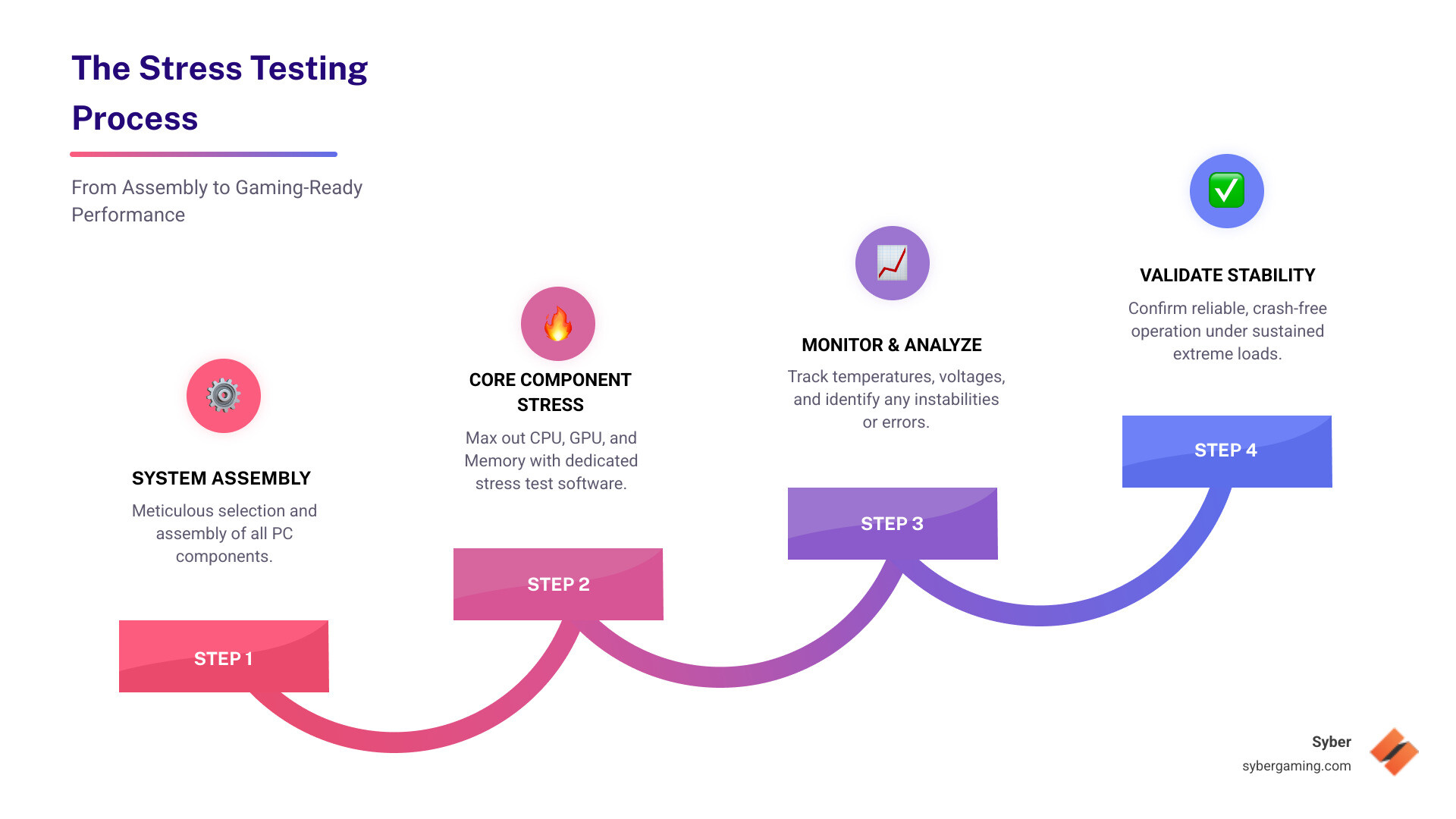
What is Stress Testing and Why Does Your Rig Need It?
Imagine your PC crashing mid-boss battle. This isn't just frustrating; it's a symptom of an underlying issue that proper stress testing could have prevented. Stress testing is a trial by fire for your rig, exposing weaknesses before they become game-breaking problems. It's the process of making sure your hardware can handle the toughest conditions, so you can game with confidence.
Understanding the Basics of a Stress Tested Gaming PC
A truly "stress tested" gaming PC has had every critical component pushed to its operational limits. It's about deliberately overloading the CPU, GPU, and RAM to identify potential failures and ensure steady gaming pc high performance. Without it, you risk system instability, throttling (where components slow down to prevent overheating), and even components failing early. Skipping this crucial step can turn a fun DIY project into a headache, as detailed in our guide to DIY Dangers. Checking its stability under pressure is what makes a PC a high performance custom prebuilt gaming pc. This is especially true for an AI gaming PC, where new technologies like AI-powered graphics upscaling and intelligent NPCs place a constant, heavy demand on your hardware. Unlike the short bursts of activity in some games, these AI features can run continuously, generating heat and stress that will quickly find any weakness in an untested system.
The Key Differences Between Stress Testing and Benchmarking
While both stress testing and benchmarking push your PC, they serve different purposes. Think of it like this: benchmarking measures how fast your car can go, while stress testing confirms it won't break down if you drive it at top speed for hours. To use a fitness analogy, benchmarking is like finding your one-rep max on a bench press. It tells you the absolute most you can lift one time. Stress testing is like doing multiple sets of 10-12 reps; it proves you have the endurance to perform consistently without failing.
| Feature | Stress Testing | Benchmarking |
|---|---|---|
| Primary Goal | Ensure stability and reliability | Measure peak performance and speed |
| Focus | Finding breaking points, identifying weaknesses | Generating performance scores (FPS, points) |
| Duration | Extended periods (30 minutes to several hours) | Shorter, focused runs (minutes) |
| Outcome | System passes/fails stability test | Quantitative performance metrics |
| Load Profile | Sustained, maximum load | Bursty, peak load |
In short, stress testing is about endurance and stability, running for hours to find flaws. Benchmarking is about measuring peak performance in short bursts to get a score. A PC can get a great benchmark score but still crash during a long gaming session if it's not stress tested. Both are valuable, but for a truly reliable gaming PC pre built or custom build gaming PC, stress testing is the essential step that guarantees you can game without fear of unexpected interruptions.
How to Build and Verify a High Performance Stress Tested Gaming PC
This section will guide you through ensuring your custom build gaming PC is rock-solid, covering the key components and software needed to guarantee high performance.
Essential Components to Push to Their Limits
When stress testing, every part of your gaming PC is evaluated under heavy pressure. This is particularly important for an AI gaming PC where components must handle complex calculations without failing.
- CPU (Processor): The brain of your PC. Stress testing pushes all cores to 100% to check for thermal throttling and instability, which is crucial for smooth gameplay and AI system optimization.
- GPU (Video Card): The graphics engine of your system. Testing ensures it can handle intense graphics without artifacts, crashes, or frame drops by pushing its cores and VRAM to the limit.
- RAM (Memory): Your system's short-term memory. Testing prevents crashes and blue screens by checking stability under heavy data loads.
- Power Supply (PSU): The heart of your system. Testing ensures it can deliver consistent power under peak load without fluctuations that could cause instability.
- Storage (NVMe SSD): Ensures fast game loading. Testing verifies that your SSD maintains high speeds under sustained read/write operations, preventing in-game stuttering.
- Air-flow cooling solutions: The unsung heroes of a high performance gaming PC build. Effective cooling is critical to get rid of the heavy heat generated during stress tests, preventing throttling and ensuring sustained performance.
For a deeper dive into component selection, check out our guide on What to Consider When Buying a Gaming PC.
Top Software for Your DIY Stress Test
To effectively push your gaming PC, you'll need specialized software designed to simulate the most demanding workloads.
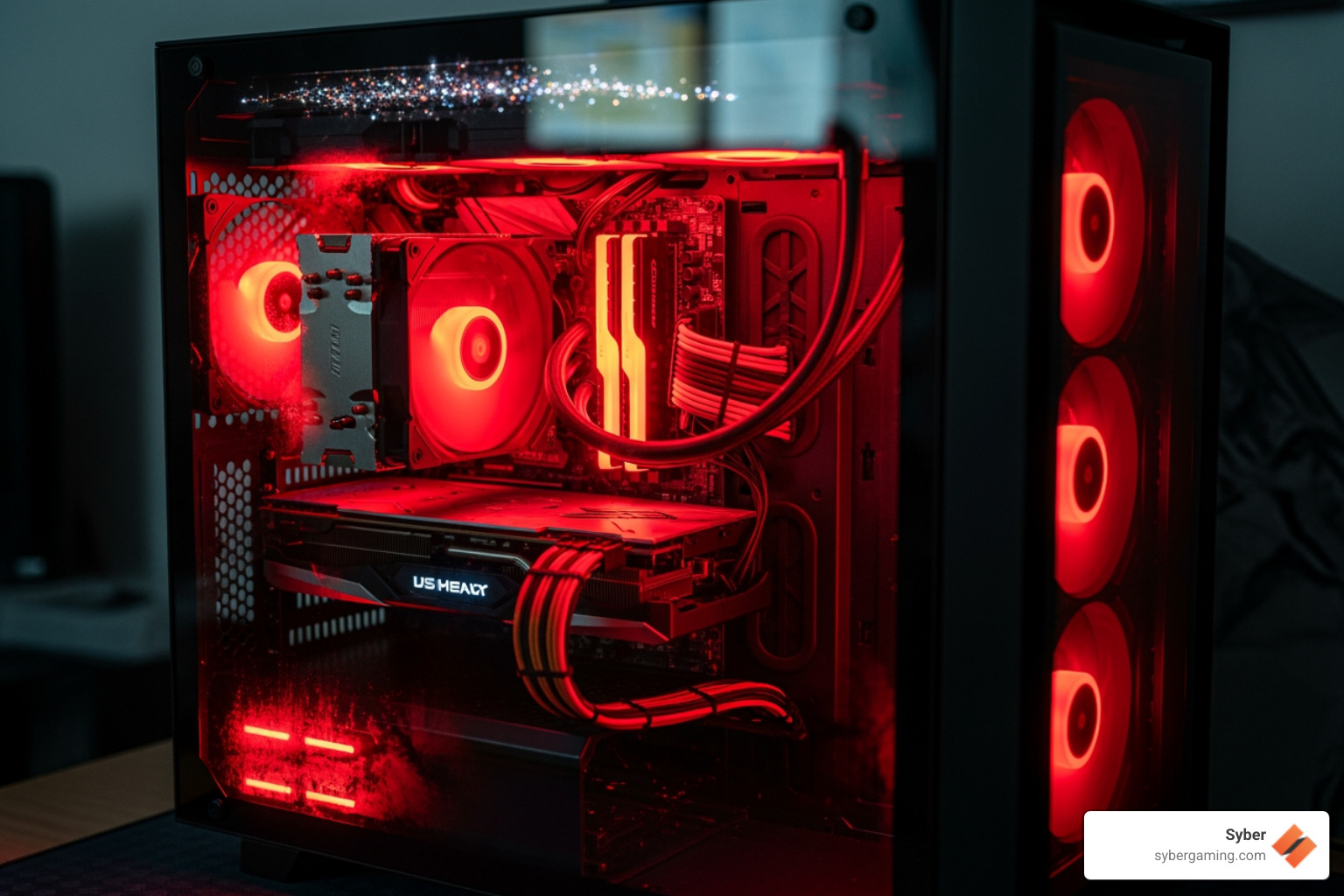
- Prime95: A classic for extreme CPU load, great for finding instability and testing your cooling solution.
- Cinebench R23: Uses 3D rendering to test CPU stability under a realistic, heavy load. Syber uses this test before shipping systems.
- Heaven (Unigine Heaven Benchmark): A popular GPU test that creates a demanding visual benchmark to check for artifacts, driver crashes, and thermal issues.
- OCCT (OverClock Checking Tool): A complete toolset that tests CPU, GPU, and power supply. Its 3D adaptive testing provides a full check of your system’s capabilities.
- PassMark PerformanceTest: A suite with various stability tests for CPU, graphics, memory, and disk speed, also used in Syber's testing regimen.
Interpreting the Results and Ensuring Stability
Running the tests is half the battle; understanding the results is key. The goal is a system that handles intense workloads without failing.

Here’s what to look for:
- Monitoring Temperatures: Keep a close eye on CPU and GPU temps. When monitoring temperatures, aim to keep your CPU below 85°C and your GPU below 90°C under full load for extended periods. While some components are rated for higher temperatures, staying within these ranges generally ensures a longer lifespan and prevents performance throttling. If you see temperatures climbing too high, the first thing to check is your case's air-flow and fan speeds.
- Visual Artifacts: Watch for flickering, strange colors, or distorted textures during GPU tests. These "artifacts" signal GPU instability.
- Throttling: Look for your CPU or GPU clock speeds dropping under load. This means your system is slowing down to prevent overheating and not delivering its full potential.
- Error Detection: Stress test software will report calculation or system errors. Any error means the system is unstable and needs adjustments. If you encounter errors or crashes, it could point to an unstable overclock, insufficient power from the power supply, or a faulty component. The key is to make small, incremental adjustments and re-test until the system is completely stable.
- System Efficiency: A successful test means your PC completes the run with no crashes, errors, or significant throttling. This confirms you have a stable, high performance gaming PC ready for any AI-powered gaming task.
The Payoff: Long-Term Benefits and Peace of Mind
Investing in a stress tested gaming PC is about securing a long-term, smooth gaming experience. A professionally tested system lets you skip the headaches and jump straight into the action, knowing your investment is built to last.
Why a Pre-Built, Stress Tested Gaming PC is a Smart Choice
When you're looking for a pre built gaming computer, the "stress tested" label is your assurance of quality and reliability. Here's why it's a smart choice:
- Peace of Mind: The biggest benefit is knowing your system won't crash. Building a PC can be rewarding, but troubleshooting it can be a time-consuming nightmare. When a DIY build crashes, you become the detective. Is it the RAM? The GPU driver? The power supply? This process can take hours or even days. A professionally stress-tested PC removes this burden entirely. You get a system that is guaranteed to work, saving you valuable time that you can spend gaming instead of troubleshooting. This is very helpful for an AI-ready gaming PC.
- Proven Stability: Manufacturers who stress test stand behind their products. Syber's philosophy is, "If it isn’t perfect, it doesn’t leave our facility." Each PC undergoes intensive testing to ensure the high performance desktop pc you receive is stable out of the box.
- Longer Component Life: Stress testing identifies components running too hot or with unstable voltage. Fixing these issues beforehand reduces wear and tear, extending the life of your AI PC components.
- Skilled Assembly and Tuning: Specialists in custom build gaming pcs do more than just assemble parts. They ensure expert cable management for optimal air-flow, proper component seating, and correct BIOS settings. Learn more in our Hand-Built by Experts: Syber Way guide.
- Warranty and Support: A company confident enough to stress test its builds will back them with a solid warranty. If an issue does arise, you have a single point of contact for support, rather than having to diagnose the faulty part yourself and deal with multiple manufacturers. This unified support structure is a significant advantage of a pre-built, tested system.
- Bloatware-Free Systems: Reputable builders provide systems without unnecessary software, ensuring your PC's resources are dedicated to advanced AI gaming from the start.
- What to Look For: When buying, look for manufacturers who detail their testing process. Transparency about quality control, like mentioning specific test programs, is a sign of a reliable product.
By choosing a professionally built and stress-tested PC, you're investing in a reliable, high performance gaming PC build that's ready for countless hours of immersive gameplay. Explore our expertly crafted M-Series gaming PCs to see this commitment in action.
Ready to experience the difference a truly stress-tested gaming PC makes? Explore Syber's range of high-performance gaming PCs, carefully built and thoroughly tested to ensure you get nothing but the best.


.svg)

