


Why a Whisper-Quiet PC is the Ultimate Gaming Upgrade for a High Performance Gaming PC Build
Imagine you're in a tense match, but the roar of your PC fans drowns out every crucial audio cue like an enemy's footstep. A quiet gaming computer fixes this, changing your gaming experience by letting you hear the game, not the hardware. It's not just about comfort; it's a competitive edge that keeps you immersed and focused.
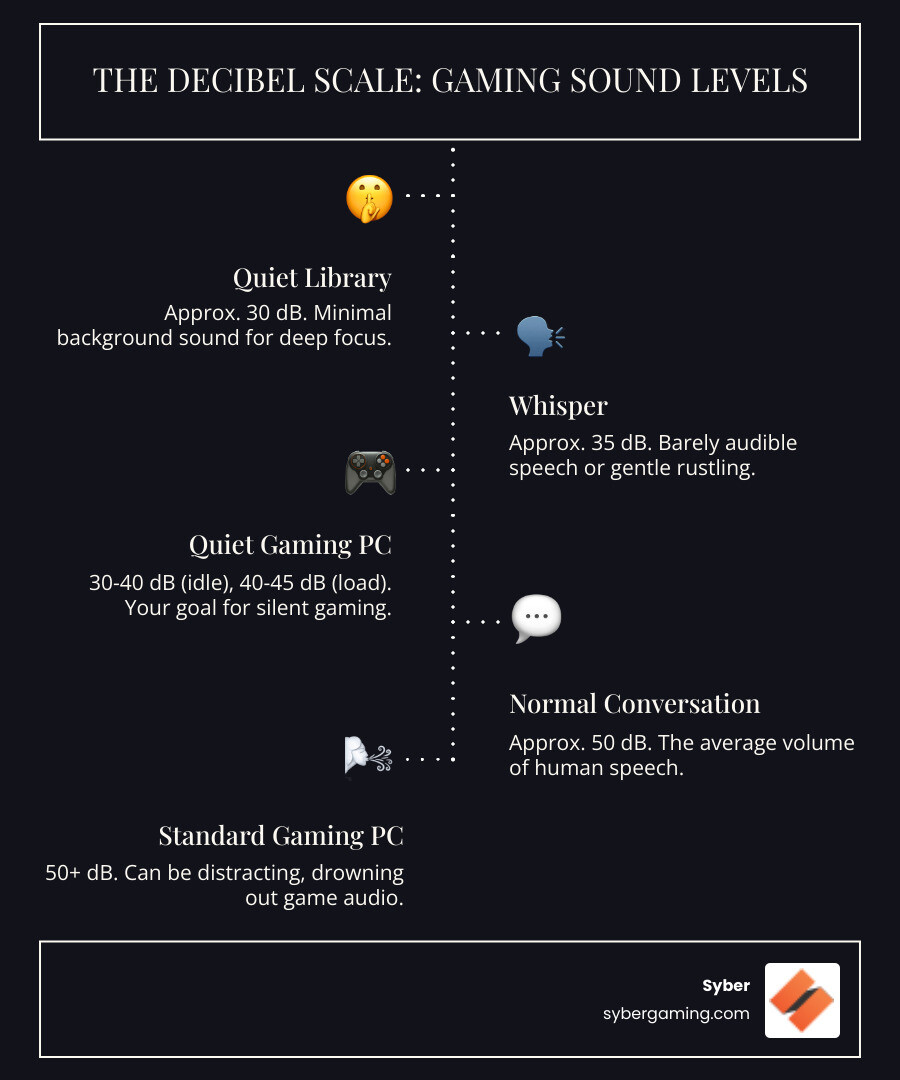
A standard PC often hums at 30–50 decibels (dB). A well-designed rig should idle around 30–40 dB—library quiet—and stay under 45 dB while gaming. That low noise isn’t a gimmick. It signals efficient cooling, steady clocks, and fewer fan spikes that can distract you mid-fight. Cooler components last longer, throttle less, and deliver steadier frame times.
How do you get there without sacrificing speed? Start with the basics:
- Cooling: Prefer large tower air coolers and GPUs with Zero-RPM fan modes.
- Storage: SSDs are silent and fast; ditch mechanical HDDs for your main games.
- Airflow: Larger 140mm case fans move more air at lower RPMs.
- Power: An efficient 80 PLUS Gold PSU often runs fanless at light loads.
Here’s the twist: modern parts make it realistic to build a whisper-quiet, high performance gaming PC build that still crushes demanding titles. Efficient silicon and better fan control let you push high refresh rates while keeping noise down.
AI-enhanced gaming also helps. An AI gaming PC that uses AI-powered graphics (like frame generation and smart upscaling) can render frames faster and at lower power, which reduces heat and noise. Pair that with AI system optimization—features that learn your workload and tune fan curves and clocks—and you get an intelligent gaming PC that prioritizes both speed and silence.
Crafting Your Quiet Gaming Computer: A Component-by-Component Guide for a High Performance Gaming PC Build
Building a quiet gaming computer is about smart choices that balance power with peace. Whether you're planning a custom build gaming PCs project or considering a high performance custom prebuilt gaming PC, the goal is elite performance minus the distracting fan roar. For a broader buying checklist, see https://www.sybergaming.com/post/what-to-consider-when-buying-a-gaming-pc.
Identifying the Sources of PC Noise in Custom Builds and Pre Built Gaming Computers
To quiet your rig, identify the usual suspects:
- Fans: CPU, GPU, and case fans are the loudest under load. Higher temps force higher RPMs.
- Mechanical Hard Drives: Spinning platters click and whirr. Move your games to SSDs for silence.
- Coil Whine: A high-pitched buzz from GPU or PSU coils, especially at very high frame rates. It’s harmless but annoying. Capping FPS or enabling V-Sync/G-Sync can reduce it.
- Power Supply (PSU): An undersized or inefficient PSU runs hotter and louder. Choose headroom and efficiency.
Smart Component Selection for a High Performance Gaming PC Build
Start with efficient parts that generate less heat in the first place.
- CPU and GPU: A gaming pc high performance setup doesn’t have to scream. Favor CPUs with reasonable TDPs and GPUs that offer Zero-RPM modes for desktop tasks. Many modern GPUs use AI-driven performance features and AI-powered graphics like frame generation and advanced upscaling to hit target frame rates with less raw power, lowering heat and fan noise.
- AI PC components: Look for GPUs with dedicated AI hardware (e.g., tensor/AI cores) to accelerate AI graphics rendering and AI-enhanced visuals. Some newer desktop CPUs and APUs include NPUs for AI multitasking and background workflows. These accelerators help an AI-ready gaming PC push frames efficiently.
- Power Supply: Choose an 80 PLUS Gold or better unit. Many operate fanless at low to moderate loads and spin up gradually when needed. Aim for 20–30% wattage headroom to keep the fan in its quiet zone.
- Storage: NVMe SSDs for OS and games reduce noise and load times. If you keep an HDD for mass storage, mount it on rubber grommets and spin it down when idle.
Syber applies this thinking across high performance desktop pc builds. For a real-world example of efficient, quiet power, see https://www.sybergaming.com/post/a-redesign-to-an-elite-machine-syber-m-series.
The Foundation of a High Performance Desktop PC: Case Design and Air-Cooling Strategy
Your case sets the stage for airflow and sound levels. Choose one with:
- Clear front-to-back airflow paths and fine dust filters.
- Sound-dampening steel panels or acoustic foam without choking intake.
- Space for multiple 140mm fans so they can run slower.
For cooling, a strong air setup keeps things simple and quiet:
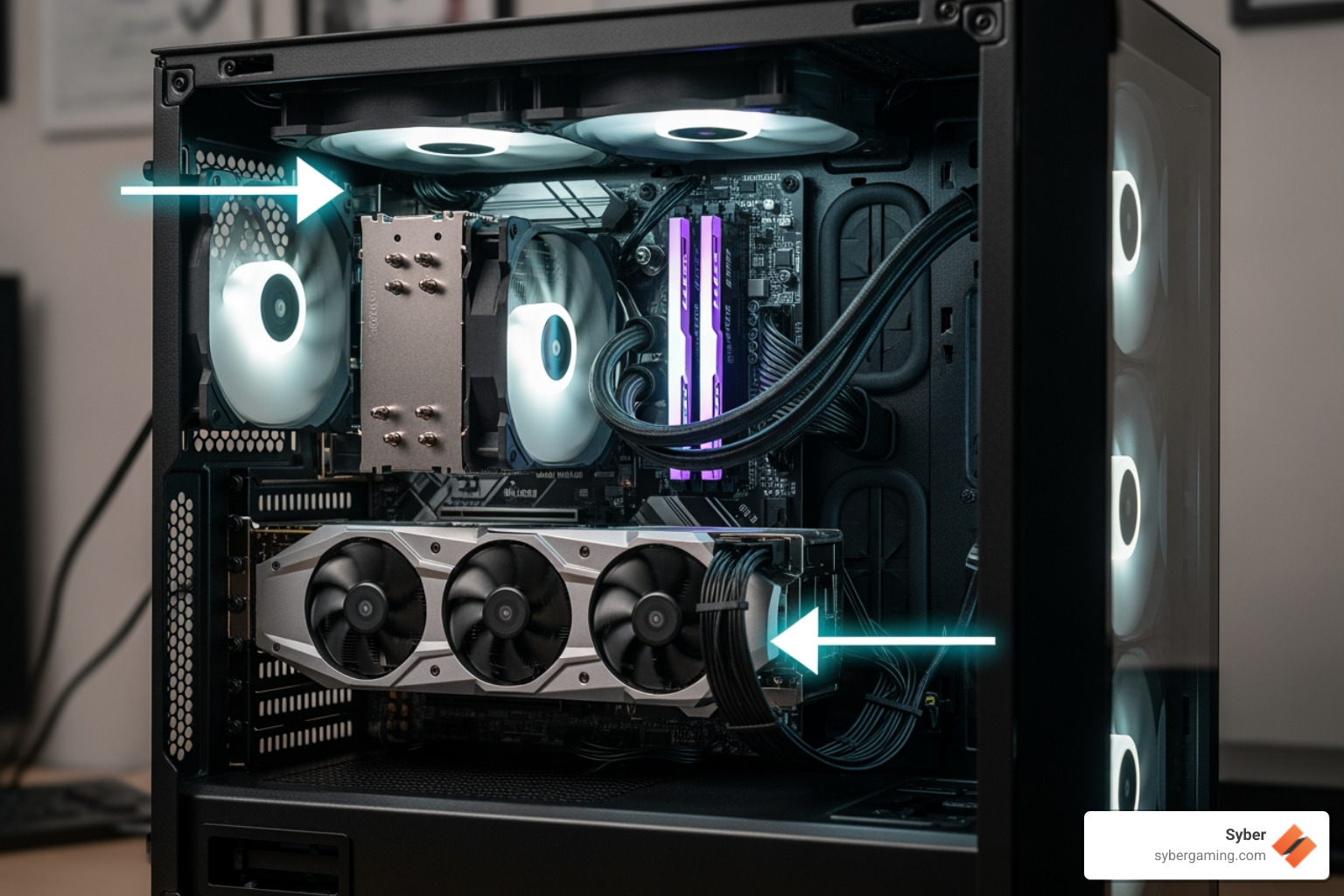
- Case Fans: Prioritize 140mm fans with high-quality bearings. Two intakes and one exhaust is a solid start; add another exhaust for GPUs that run hot.
- CPU Cooler: A large tower air cooler with heatpipes and a 120–140mm fan can maintain gaming temps with minimal RPM. Place RAM-friendly coolers to avoid turbulence.
Unsure about sizes and standards? This primer helps: https://www.sybergaming.com/post/case-confusion-what-does-atx-even-mean.
AI Gaming Technology and AI System Optimization for Quieter Frames
- AI gaming technology: Features like AI-powered graphics upscaling and frame generation reduce GPU load at a given visual target, so fans spin slower.
- AI cooling solutions: Many motherboards offer auto-tuning for fan curves (e.g., board-level learning of temperature response). These intelligent tools smooth out RPM spikes and prioritize low-noise operation during light loads.
- AI multitasking: If you stream, record, or run creator apps while gaming, AI accelerators and modern encoders offload work from the CPU/GPU. Less strain means less heat and a quieter session.
- AI PC security: Keep firmware and drivers current. OS-level protections increasingly use machine learning to flag suspicious behavior with minimal overhead, helping your system stay responsive and quiet during background scans.
How Cable Management Contributes to a Quiet Gaming Computer
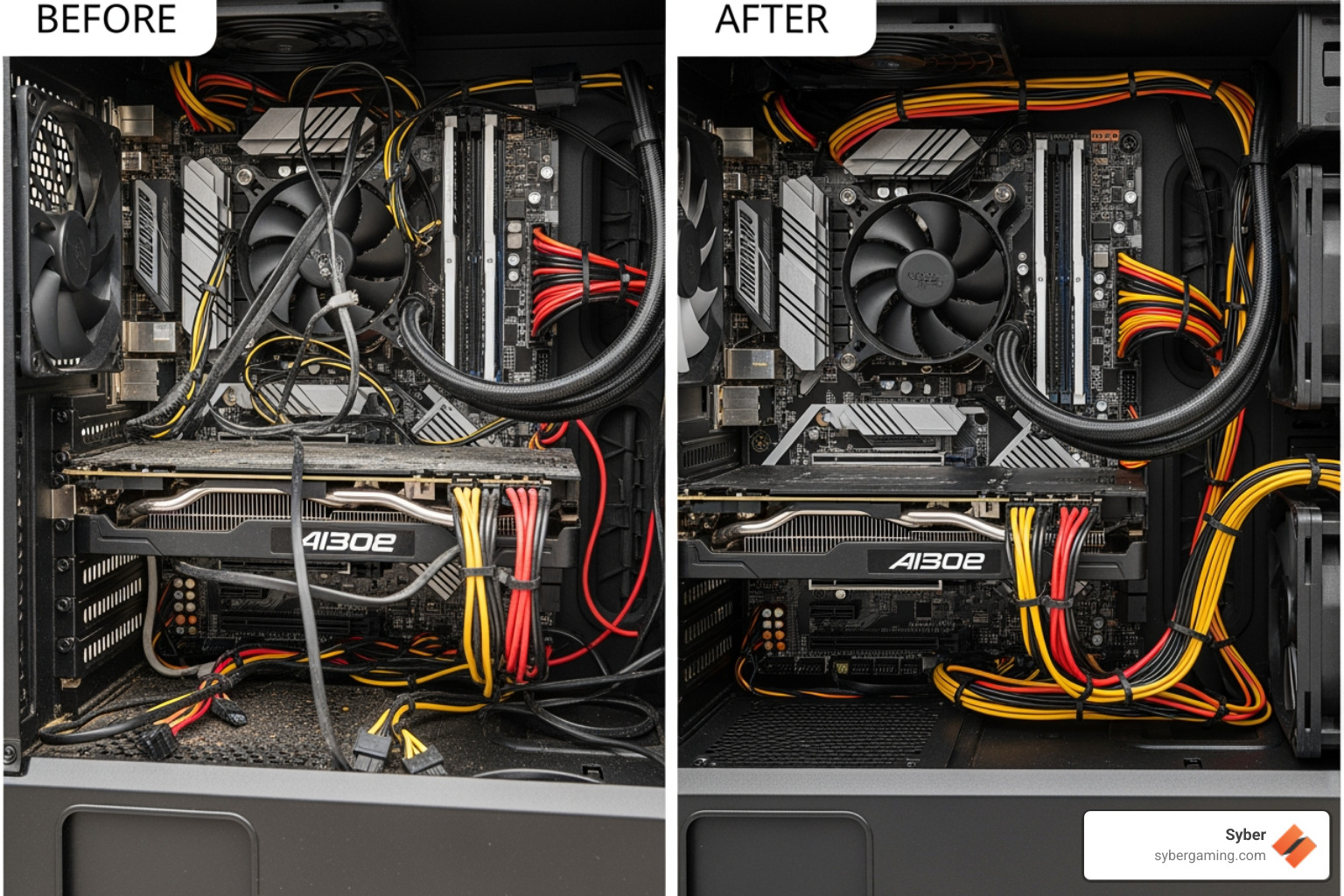
Poor cable routing blocks airflow, traps heat, and forces fans to spin faster. Route cables behind the motherboard tray, use tie-down points, and keep the intake path clear so air reaches the GPU and CPU heatsinks with minimal resistance. Good cable management is standard in a pc pre built for gaming from pros like Syber, where airflow is designed in from the start.
Tuning: Fan Curves, FPS Targets, and Software for an Intelligent Gaming PC
- Fan Curves: In BIOS/UEFI, set temperature-based curves that keep idle and light-load RPMs low, then ramp smoothly under sustained heat. Avoid sharp, noisy jumps.
- FPS Targets: Chasing uncapped frame rates can raise coil whine and RPMs. Use in-game limiters or driver caps to align frame rate with your display refresh (or slightly above) for stable temps and consistent acoustics.
- Game Profiles: Many GPUs support per-game profiles that balance power and quality. Slightly reducing ultra settings often drops fan noise without a visible loss.
- Whisper Modes: Features that optimize settings for target frame rates can reduce power and noise while maintaining smooth gameplay—useful for an AI-driven gaming rig aiming for quiet performance.
Maintenance That Keeps a Build High Performance Gaming PC Quiet
- Dust Control: Clean filters and heatsinks with compressed air every 3–6 months.
- Thermal Paste: Replace paste on the CPU every couple of years if temps creep up.
- Firmware & Drivers: Updated BIOS and GPU drivers can improve fan behavior and stability.
- Quiet Peripherals: A silent-click mouse like https://www.sybergaming.com/m1-mouse and a quieter mechanical keyboard such as https://www.sybergaming.com/k1-mechanical-keyboard round out a silent desk.
Prefer a Pre Built Gaming PC Customizable Option?
If you’d rather skip the wrench time, look for a gaming pc pre built that’s customizable to your needs. A high performance custom prebuilt gaming PC from Syber arrives with airflow, cable management, and sound levels dialed in, plus room to grow. You pick the specs; we handle the engineering.
The Final Verdict: Achieving Power and Peace in Your Setup with DIY or High Performance Custom Prebuilt Gaming PC Options
A quiet gaming computer is where elite performance meets full immersion. When you design for thermal headroom—efficient parts, thoughtful airflow, and tuned fan curves—you get a rig that runs cooler, lasts longer, and delivers steadier frame times. Add AI gaming technology—AI-powered graphics for smoother frames, AI-driven performance for smarter resource use, and light-touch AI PC security in the background—and you have an AI gaming PC that’s fast, focused, and calm.
If you want the results without the rebuild, custom prebuilt gaming PCs from Syber are a straightforward path. We engineer pc pre built for gaming that combine the punch of a build high performance gaming pc with the convenience of expert assembly. Each gaming pc pre built is tested and benchmarked in our City of Industry, CA facility to ensure low noise under load and rock-solid stability. You can select a pre built gaming pc customizable configuration or collaborate with us to create a high performance desktop pc tuned for your space, games, and sound profile.
Your next move is simple: decide what you play, how quiet you want it, and what your budget looks like. From there, choose a custom build or a selected prebuilt, and lean on modern AI gaming performance features to hit your targets with less heat and lower RPMs. That’s how you keep focus on the match—not the fans.
Find your perfect build and explore our custom gaming PC options at https://www.sybergaming.com/pricing.
Social caption: Build for silence without losing speed. With AI-enhanced gaming and smart air cooling, your rig can stay whisper-quiet while hitting high FPS. Pick a custom or prebuilt setup and game in peace. Explore builds: https://www.sybergaming.com/pricing


.svg)

